

At a glance
Prerequisites
GitHub does not support Dynamic Client Registration, so you need to register an OAuth app once. This is a one-time setup per app, not per developer.1
Open GitHub developer settings
2
Click 'New OAuth App'
The button sits at the top right of the OAuth Apps list.
3
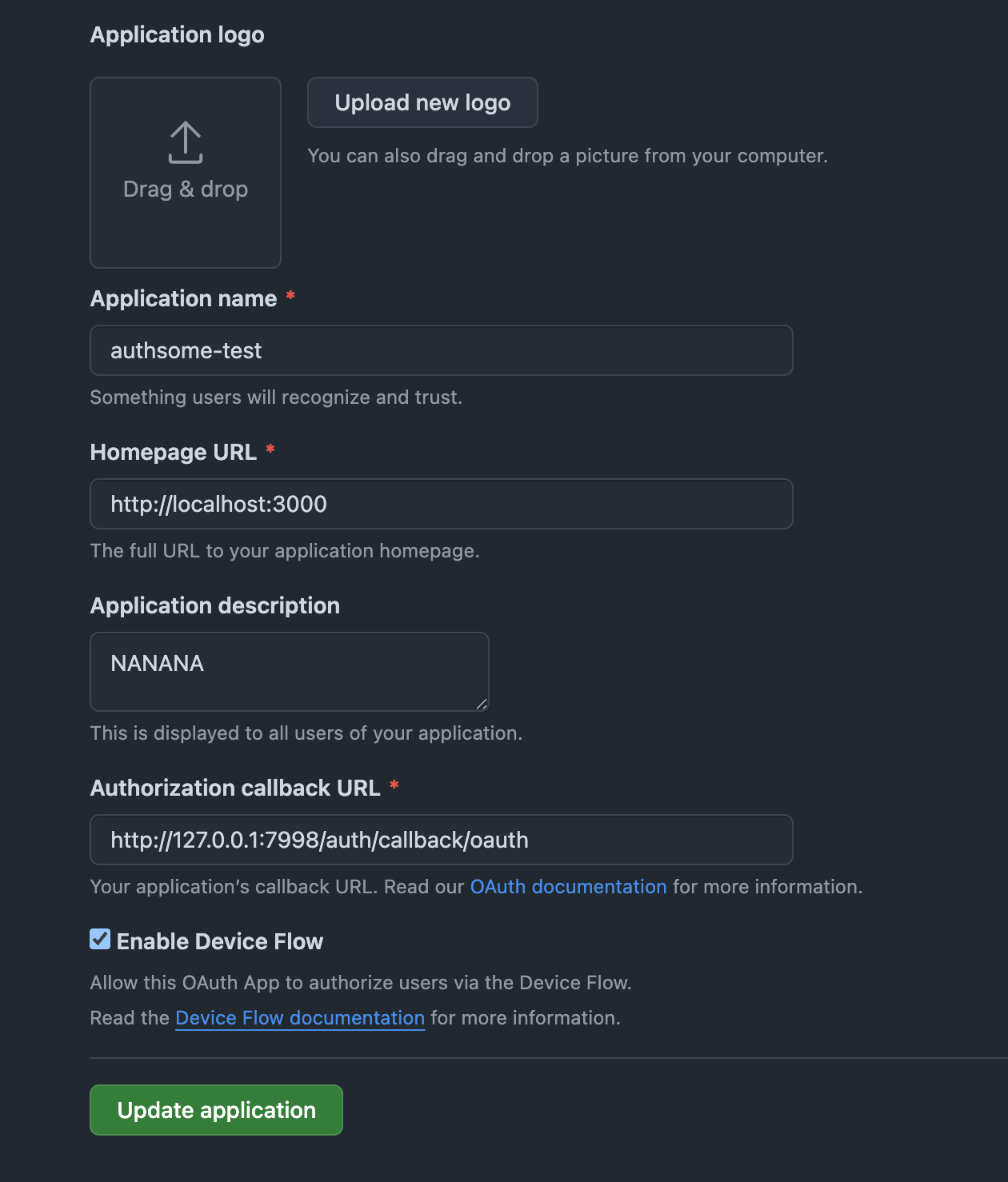
Fill the registration form
Click Register application.
4
Copy the Client ID and generate a Client Secret
GitHub now shows your new app’s settings.
- Copy the Client ID.
- Click Generate a new client secret and copy the secret immediately.
Authsome's local bridge form, where you paste the Client ID and Client Secret on first login
Log in
1
Client credential collection (first time only)
Authsome opens a local form at
http://127.0.0.1:7998. Paste the client_id and client_secret. They are encrypted and stored in your vault, then reused on every subsequent login.2
Authorization redirect
A second browser window opens to
https://github.com/login/oauth/authorize. Approve the requested scopes.3
Token exchange
GitHub redirects to
http://127.0.0.1:7998/auth/callback/oauth with an authorization code. Authsome exchanges it for an access token and stores the encrypted record.4
Confirmation
The terminal prints
Successfully logged in to github (default).Headless setup (SSH, CI)
For machines without a local browser, use the device code flow:Custom scopes
The bundled definition requestsrepo and read:user. Override at login time:
authsome get github.
For the full list of GitHub OAuth scopes, see GitHub’s scopes documentation.
GitHub Enterprise
For self-hosted GitHub Enterprise, pass the base URL of your instance:{base_url} placeholders for the authorization, token, and device code endpoints, so substitution is automatic.
Multiple accounts
Personal and work GitHub on the same machine:--connection <name> on login and on every read command to keep two or more accounts on the same provider side by side. See Multiple connections per provider for the full pattern.
Use the token
Run the agent under the proxy (recommended).GITHUB_ACCESS_TOKEN=authsome-proxy-managed in the child’s environment and injects the real token into outbound requests to api.github.com. The child process never sees the actual value. Refresh tokens are never exported.
Override the bundled definition
To change scopes or point at GitHub Enterprise by default, drop a custom JSON at~/.authsome/providers/github.json. The user-registered file always wins over the bundled one.
Troubleshooting
For deeper diagnostics, see OAuth callbacks and Token refresh.
What’s next
Run agents with the proxy
Inject the access token into outbound requests without exposing it.
Multiple connections per provider
Keep two or more accounts on the same provider side by side.
OAuth providers
All bundled OAuth providers.